View Agents Memory Usage Charts
APIs to show MS-Agents and ABL Sessions memory usage charts.
View MS-Agents memory usage charts
- Navigate to ABL Application in left hand menu tree and click on its menu option.
- Click on
Agents Memorytab: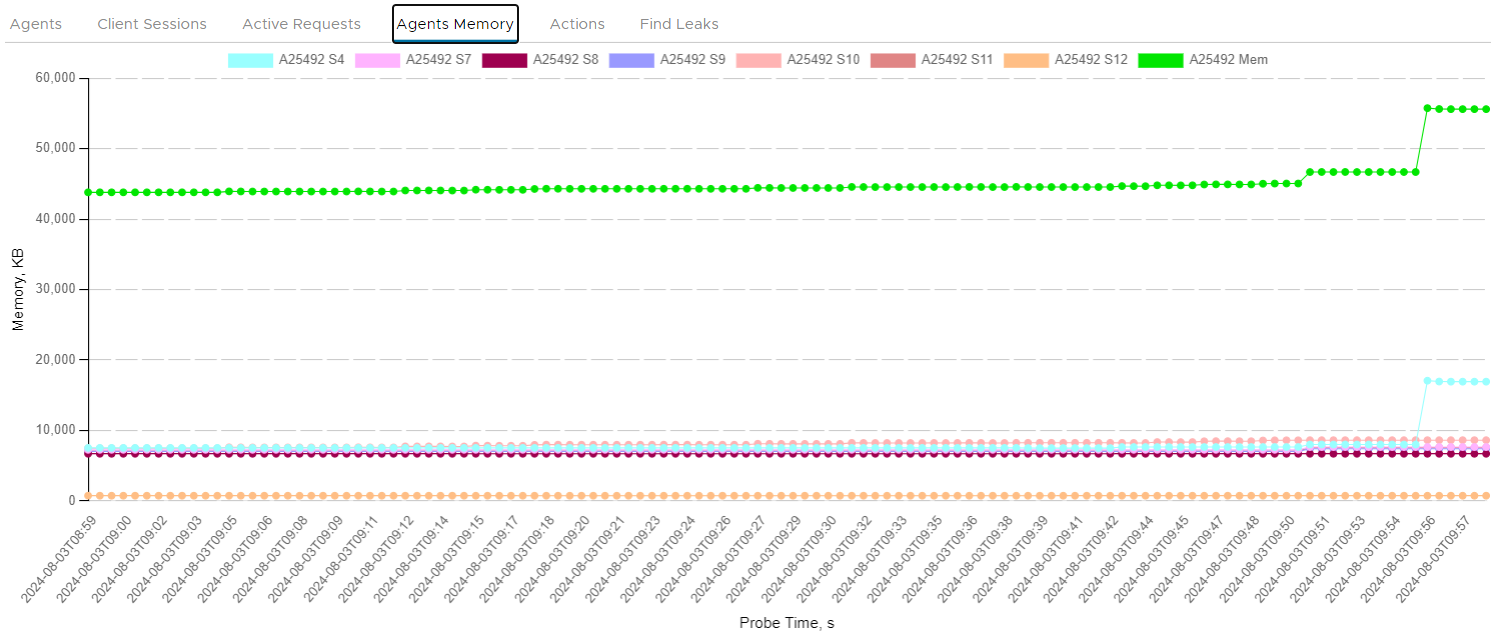
Prerequisite 1 - Enable scheduled OE Manager calls to collect metrics for the PASOE instance
- Click on top-level
Setupmenu option. - Click on
PAS Instancestab. - Locate PACOE Instance to update.
- Expand available actions by clicking on three vertical dots icon.
- Click on
Editmenu option and set following values:- turn on
OEManager Check Ontoggle box - enter
OEManager Base Urlin formathttp(s)://PAS_INSTANCE_HOST:PAS_INSTANCE_PORT - set OE Manager probes
OEManager checks intervalin millisecods
- turn on
- Click on
Savebutton to save changes.