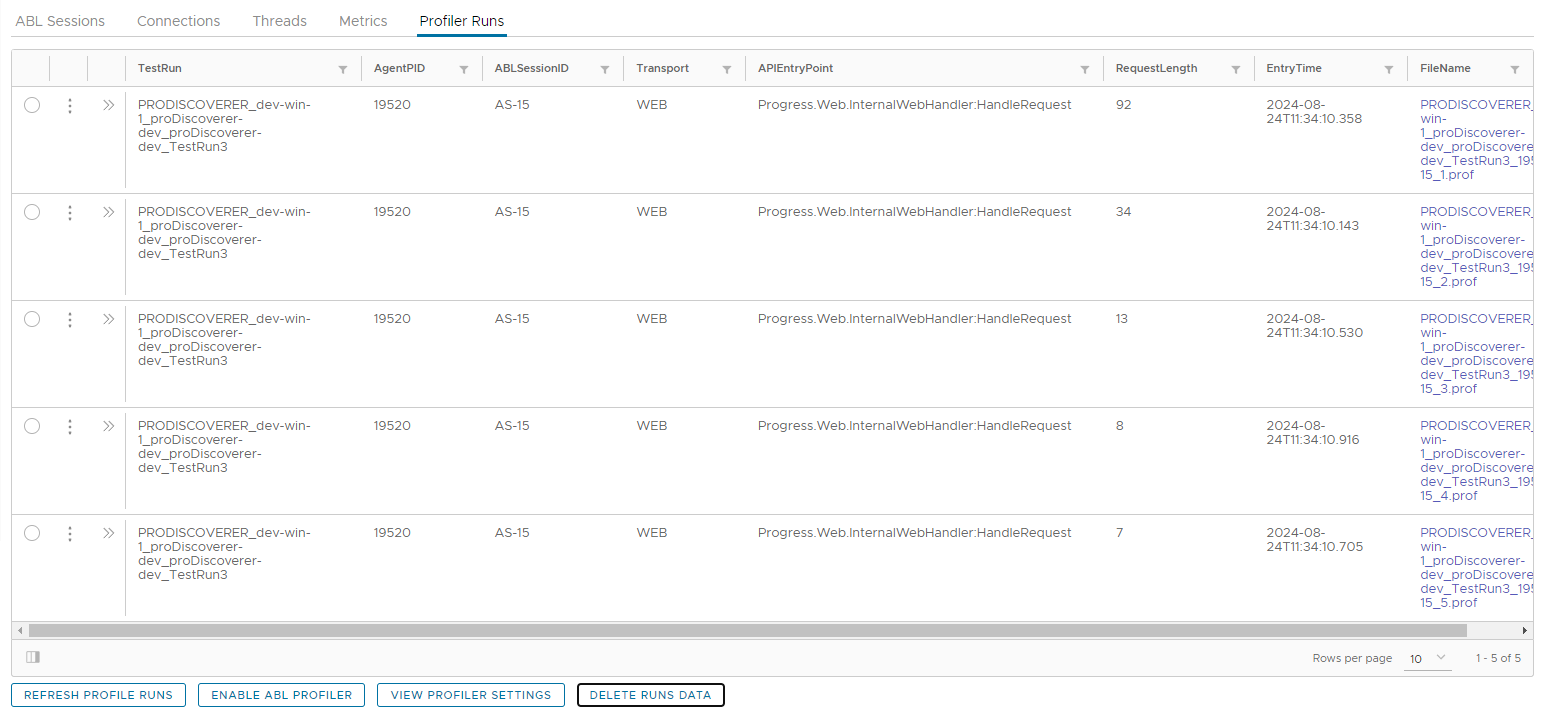
Enable ABL Profiler
API to enable MS-Agent ABL Performance profiler.
Enable ABL Profiler for an MS-Agent
- Navigate to ABL Application in left hand menu tree and click on its menu option.
- Select MS-Agent by clicking radio button next to its
agentIdcolumn. - Click on
Profiler Runstab below theAgentsgrid. - Click on
Enable ABL Profilerbutton: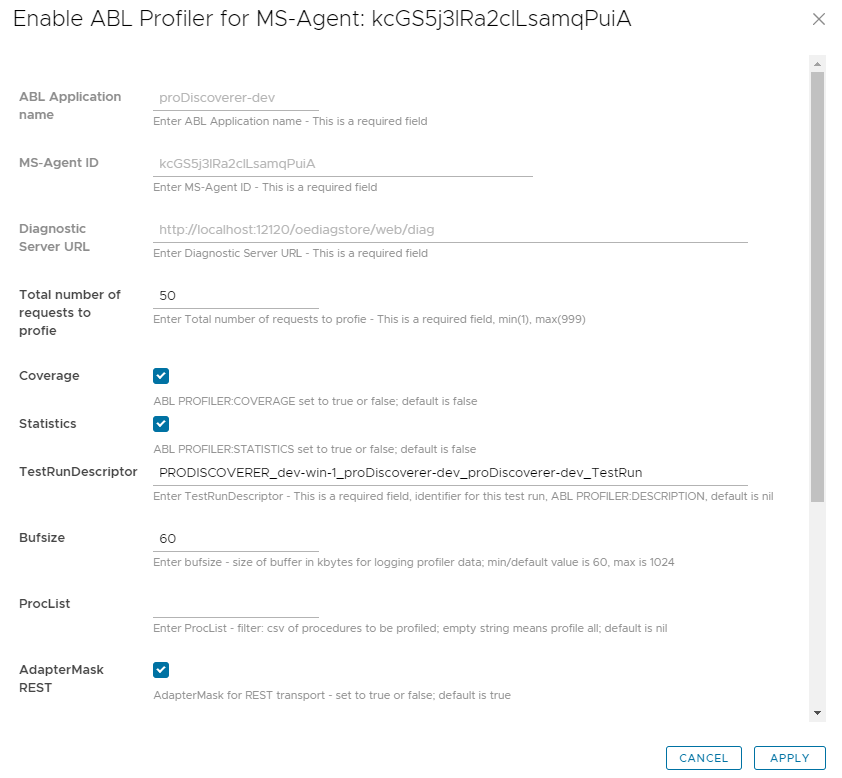
- Enter profiler settings and click on
Applybutton.
View ABL Profiler test runs data
- Click on
Refresh Profiler Runsbutton: