View Alerts
APIs to show alerts collected by ProDiscoverer tools.
View All alerts for monitored PASOE instances
- Click on
Alertstop menu option. - Click on
Alertstab: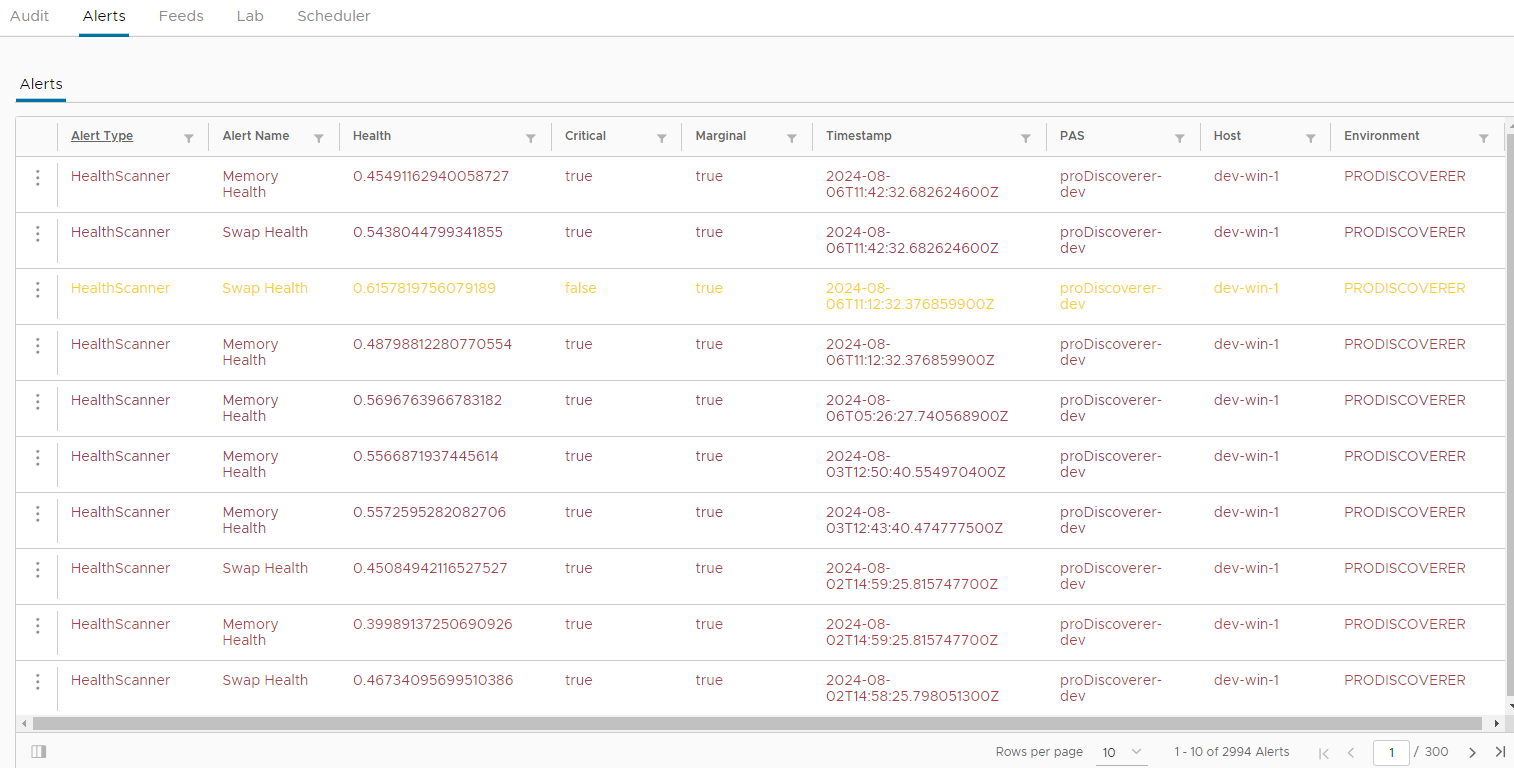
- Expand pop-up menu for each row and click on
View Detailsmenu option to view details of each alert: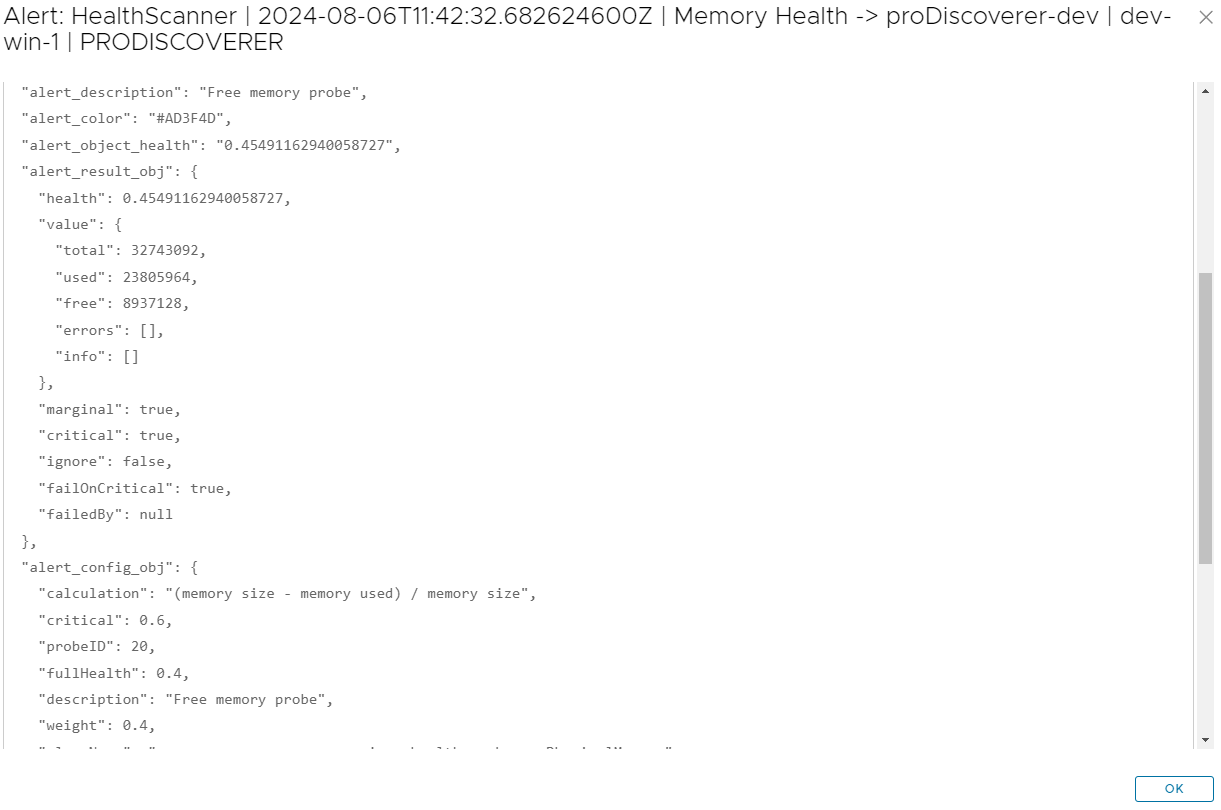
- Expand pop-up menu for each row and click on
View Healthmenu option to jump to instant HealthScanner chart to view alerted PASOE health: