Active Requests
API to list all the active requests for an ABL Application.
Returns the list of all the active requests associated with an OEABL Application. If timeoutMs & requestId are provided, the method will return the request bounded to the given requestId that is initiated timeoutMs milliseconds from the current time. If the requestId is provided but not timeoutMs, the method will return the request bounded to the given requestId. If timeoutMs is provided but not requestId, the method lists all the requests that were initiated timeoutMs milliseconds from the current time.
View Client Active Requests
- Navigate to ABL Application in left hand menu tree and click on its menu option.
- Click on
Active Requeststab: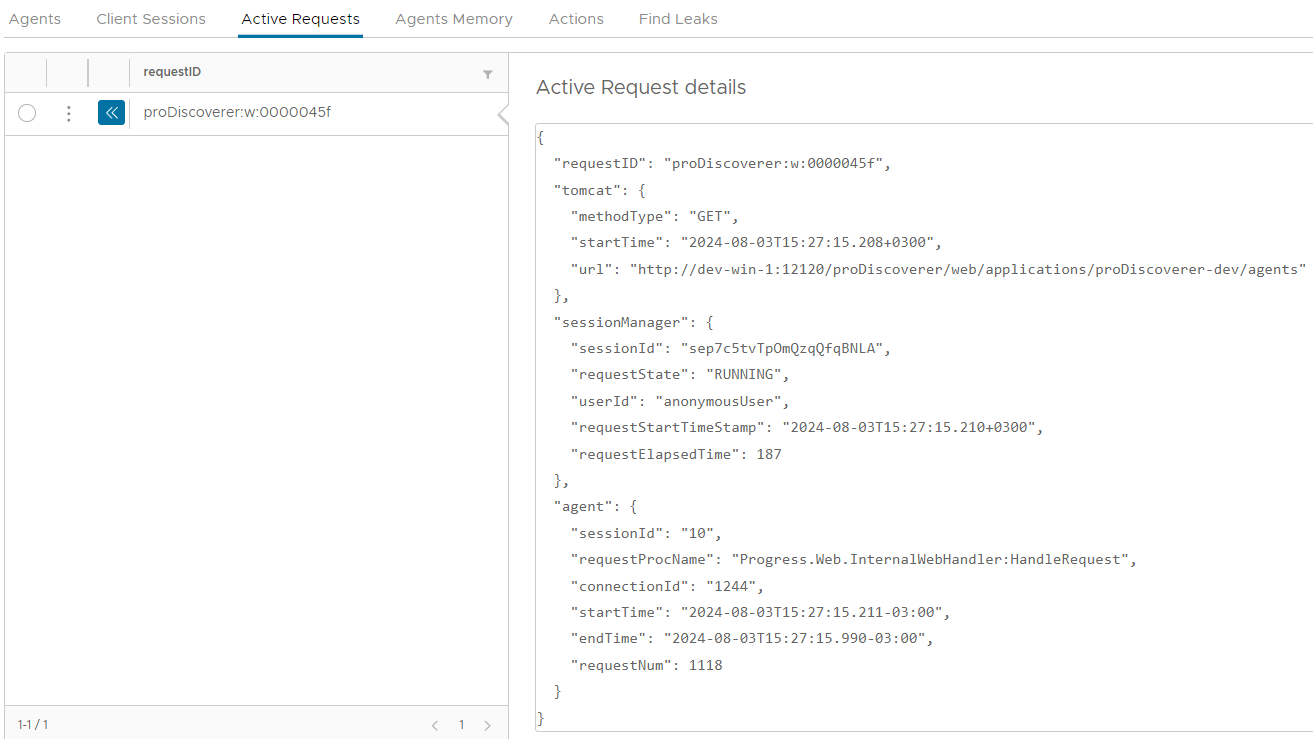
View Active Request related details
- Navigate to ABL Application in left hand menu tree and click on its menu option.
- Click on
Active Requeststab. -
Expand available actions by clicking on three vertical dots icon:

-
Click on menu option
Client Sessionto view client session details for the request. - Click on menu option
ABL Session Stack Traceto view ABL session stack trace for the request. - Click on menu option
ABL Sessionto view ABL session details for the request. - Click on menu option
Agent Requestto view Agent request details for the request. - Click on menu option
Cancel Requestto cancel the request.