Run Compiles
APIs to run Progress ABL code compiles. Database has to be connected to PASOE instance.
Go To Lab
- Click on
Overviewtop menu option. - To access actions on databases connected to PAS instances in selected environment click on
Databasestab:
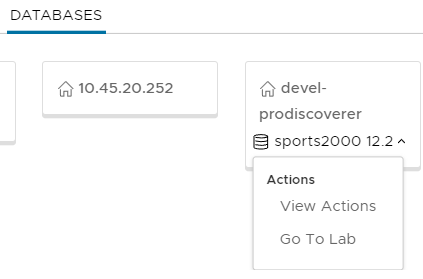
- Click on
Go To Labmenu option.
Run Compiles
- Click on
Compiletab to view compile files form: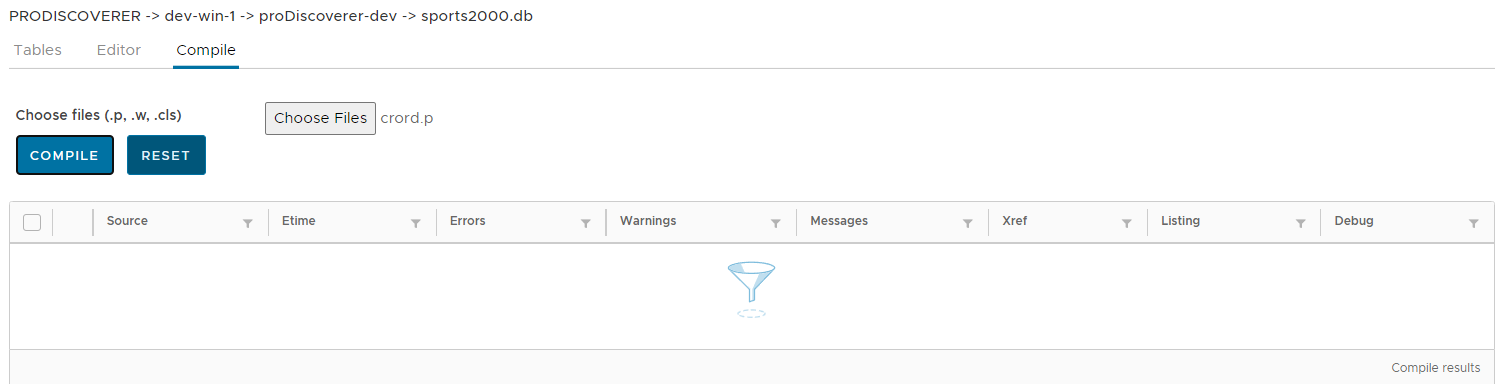
Select file to compile
- Click on
Choose Filesbutton to select file(s) to compile.
Run compile
- Click on
Compilebutton to run compile of selected file(s).
View compile results
- View each compile details in a grid:
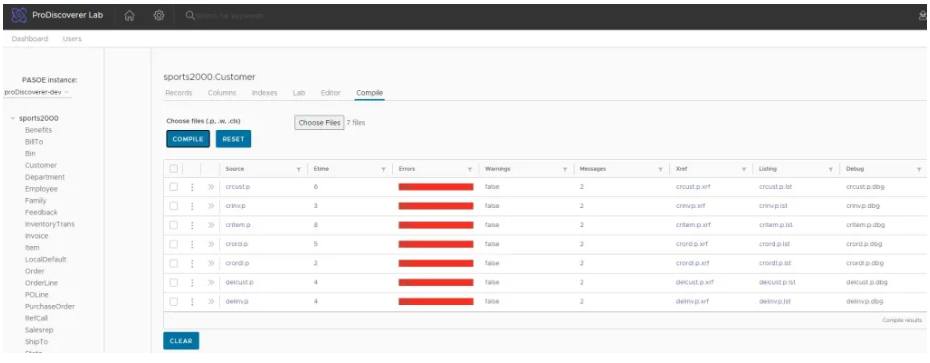
- View & examine each procedure compile results:
- Duration of compile run
- Total records read
- Contents of Xref .xrf file for index usage & sorting
- Contents of ABL procedure listing .lis file for transactions, records & buffers scope
- Compile error messages
- Compile warning messages
View XREF file
- Click on file with
.xrfextension: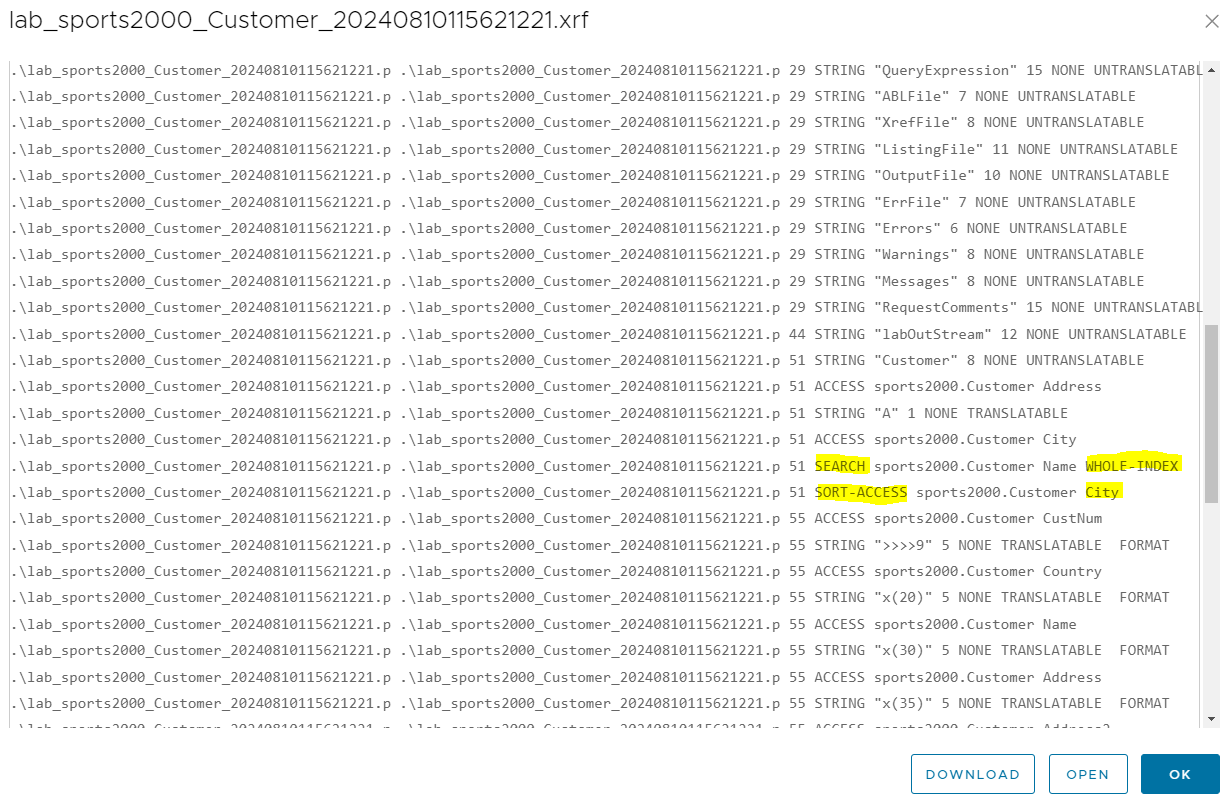
View listing file
- Click on file with
.lisextension: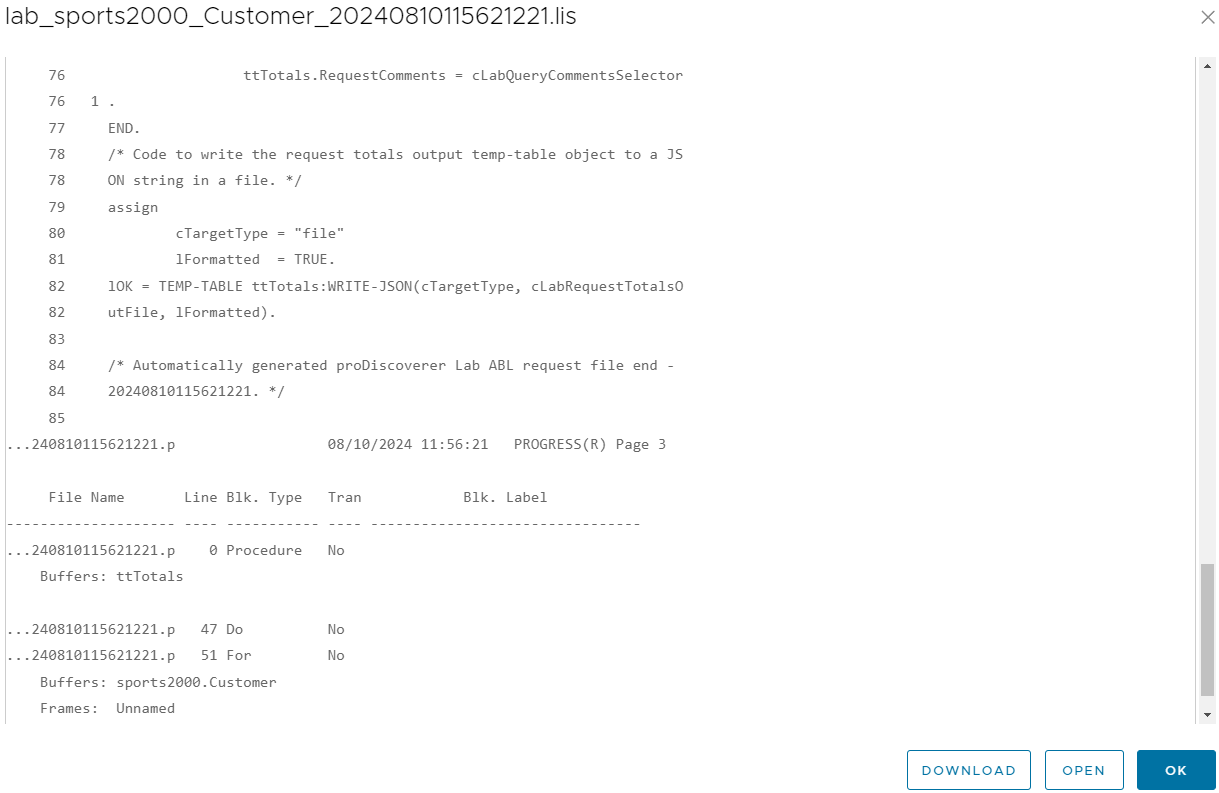
View comppiler warning messages
- Click on link in
Warningscolumn.
View comppiler errors messages
- Click on link in
Errorscolumn.
View source ABL code
- Click on file with
.pextension: