Cleanup ABL Sessions Automatically
Cause
MS-Agents use Session Memory and Overhead Memory. Session memory is allocated for ABL sessions spawned by the agent. Overhead Memory is the memory that the agent uses for overhead, to manage sessions and route requests, etc. The memory is allocated to the ABL session. Once ABL session is terminated – Session Memory usage of MS-Agent process is reduced.
None of properties configured in the openedge.properties will automatically clean up MS-Agent idle ABL Sessions. HTTP is a connection-less protocol that does not require a valid socket to be opened at all times.
Resolution
In order to manually terminate IDLE MS-Agent ABL sessions, but not terminate the MS-Agent, ProDiscoverer uses the OEMANAGER REST API. Once PASOE Agents idle ABL sessions are terminated – memory usage of PASOE is reduced when there are a lot of inactive agent sessions. Cleanup of idle ABL sessions are done without terminating the Agents.
Terminate idle ABL Sessions for all MS-Agents automatically
- Configure ProDiscoverer scheduler to run “resetAgentsSessions” task for:
- Specific PAS instance.
- Specific ABL Application for that PAS instance.
- Time interval in milliseconds to run the task job.
- Threshold value for Session Manager memory per agent to trigger idle sessions termination process.
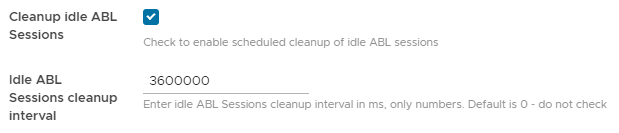
- Start scheduler task “resetAgentsSessions” for the ABL Application.
- ProDiscoverer will automatically schedule jobs run per interval specified.

- Scheduled job will perform actions:
- Evaluates Total Session Memory to the threshold value to trigger agent‘s idle ABL sessions termination process.
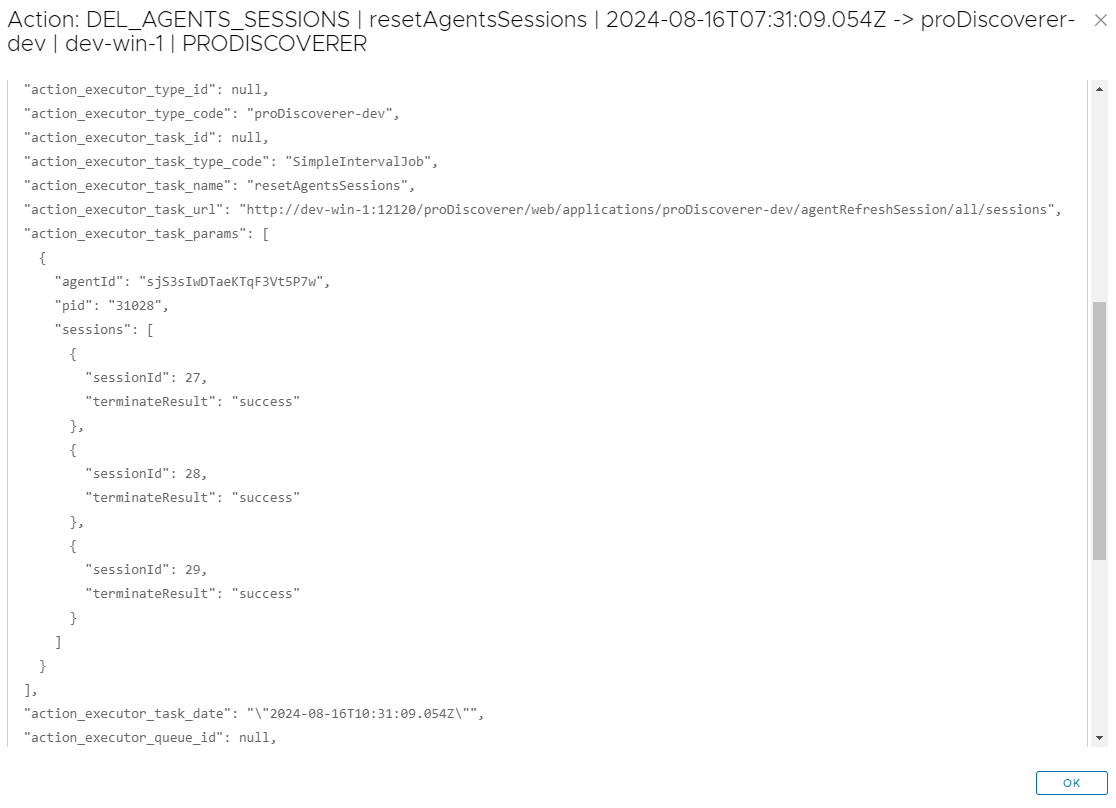
- Terminates all agents idle ABL sessions.
- Write action details to ProDiscoverer database for future reference
- Actions taken by the scheduler details can be viewed in “Actions” tab grid under menu option “Audit”.